Roulette Analysis

Roulette Analysis and Statistics System

Enter the numbers that came up at the table and see frequency, gaps and trends organized on screen. Three systems, one subscription: SpinPro, SpinGo and Projeto Doze.

Monthly subscription plan. After purchase, you receive your Username and Password at the email you enter on the form.

Transparency: these systems analyze results that have already happened to help you understand the game. They do not predict the next number, do not bet for you and do not promise profit.

Sample reading: dozens over the last 25 spins

Illustrative data, only to show the kind of analysis.

expected: 33% 48%28%24% 1st dozen2nd dozen3rd dozen

What is a roulette analysis system?

It is software that takes the table's results and applies statistics and probability calculations to show what has happened: which bets come up most, which are overdue, and when the game is stable or erratic. The decision remains yours.

What the systems do

  • Organize the history of numbers you enter
  • Calculate frequency, gaps, repetitions and trends
  • Show the readings in panels, maps and visual alerts
  • Help you keep clear criteria and manage your bankroll

What the systems do not do

  • Do not guarantee winnings or promise profit
  • Cannot predict the next spin with certainty
  • Do not connect to casinos or place bets
  • Do not change the house's mathematical edge

The 3 statistical analysis systems

Each system looks at roulette in its own way. Use whichever makes the most sense for your study.

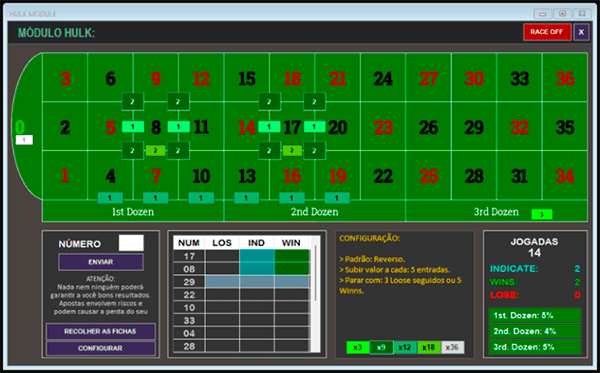
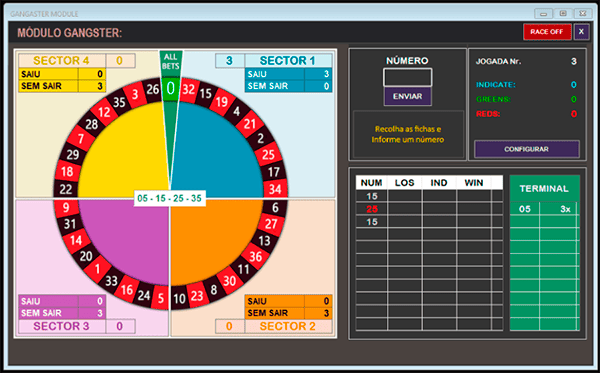
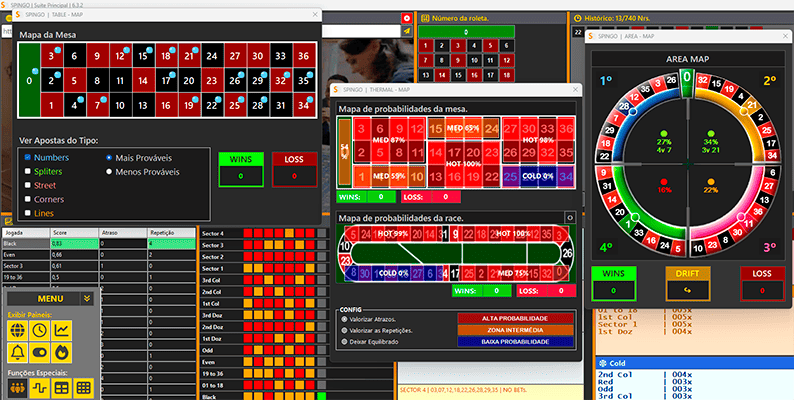
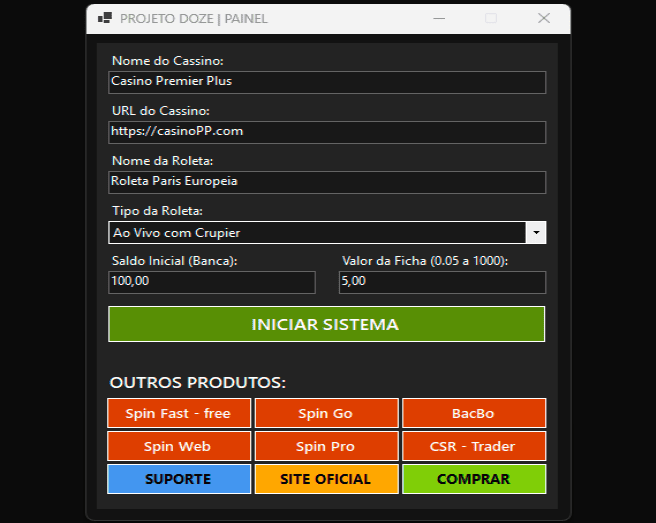
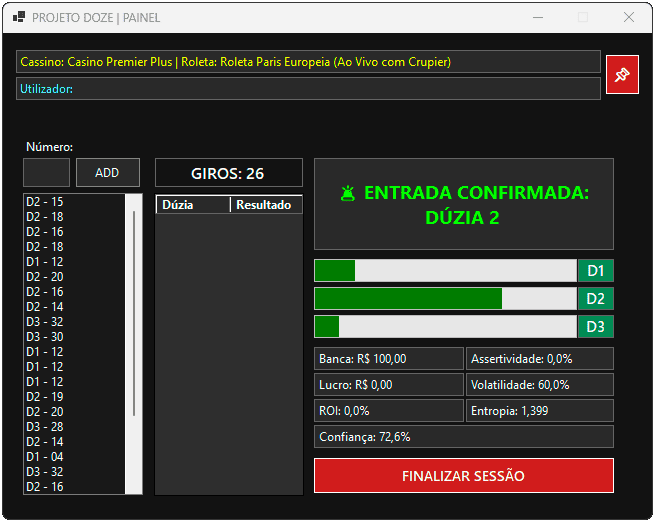
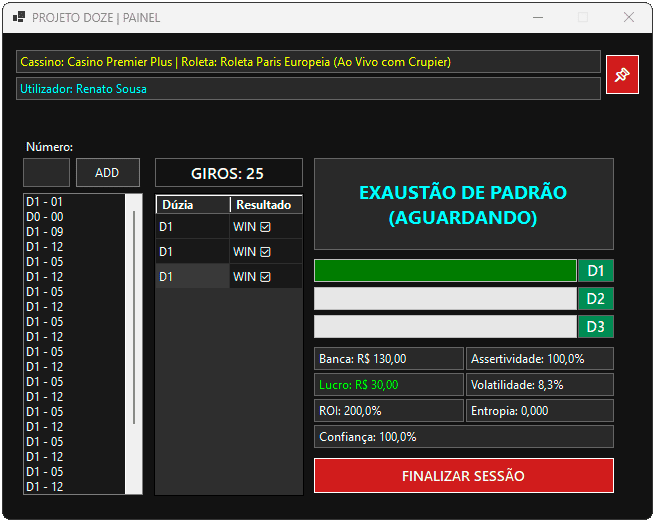
The images show the systems' interface and do not represent results.

See the systems in action. The videos page has tutorials for all the products.

Go to the videos
Complete bet analysis

SpinPro

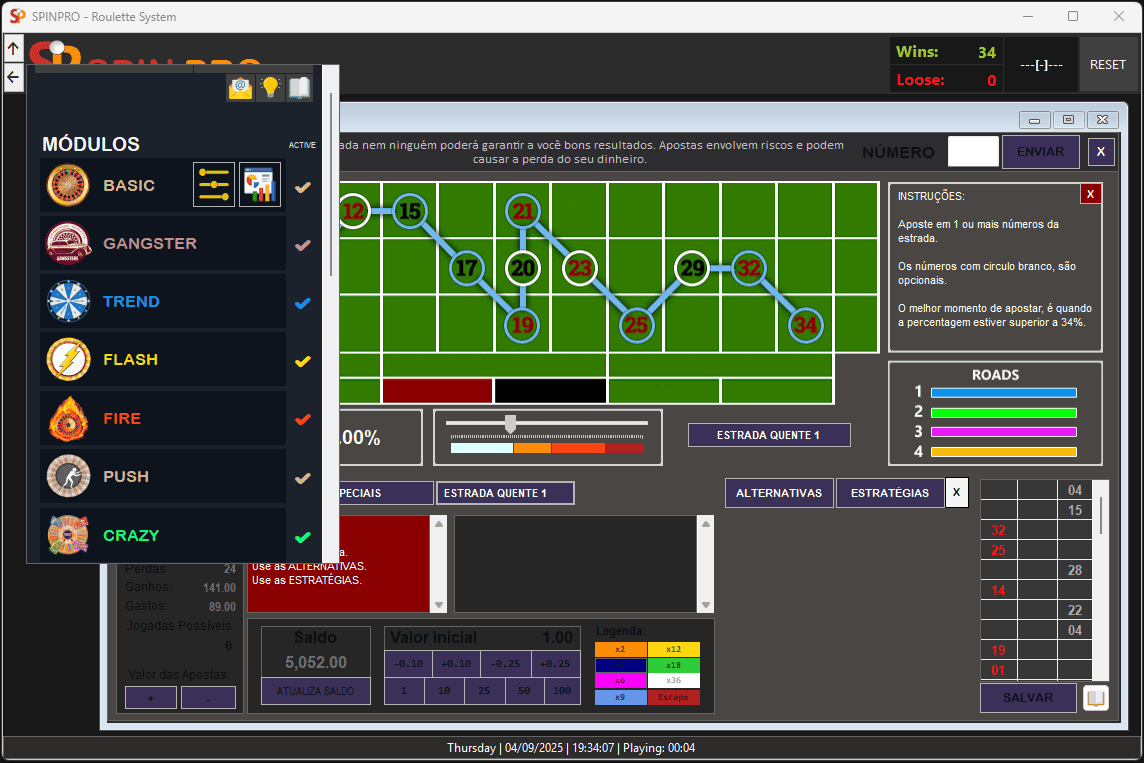
A system organized into more than 20 modules, each with a different method of reading the table.

Goal: help you understand when a bet comes up more often and keep track of stakes and limits for the session.

How it works
You type in the numbers that come up on the wheel. After about 10 to 25 numbers, the system starts presenting the analysis of the module you chose.
Main features
Real-time statistics; analysis of outside bets (color, odd/even, dozens, columns) and inside bets (lines, splits, numbers); modules such as Basic, Trend and Flash; bankroll management with warnings for large losses and large gains.
Safety
It does not connect to any casino and does not place bets. You stay in control.

System screens

Bayesian statistics

SpinGo

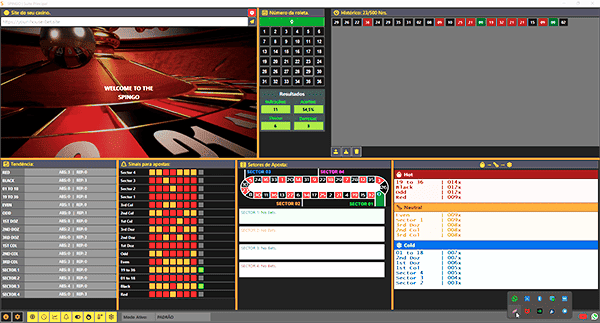
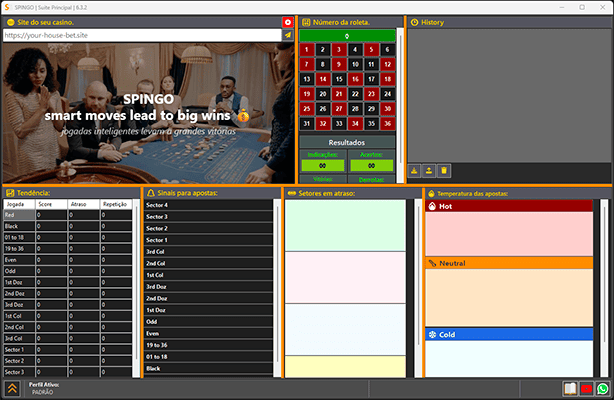
An analysis dashboard that updates its readings with each new number you enter, using Bayesian calculation.

Goal: turn the history into clear information: where there is a trend, where there is a gap and when the data is unstable.

How it works
With each spin, the model recalculates probabilities based on recent results. A filter ignores moments of unstable data, and the signals panel uses red, orange and green to show the level of the statistical reading.
Main features
Trends panel (score, gap and repetition); overdue sectors; bet temperature (hot, normal and cold); heat map; area analysis; interactive table; history of up to 740 numbers, with import and export.
Useful detail
It has a built-in browser and resizable panels. It is optimized for European roulette (one zero, 36 numbers).

System screens

Focus on dozens

Projeto Doze

A statistical engine dedicated to analyzing the behavior of the three dozens on the roulette table: D1, D2 and D3. Developed for pseudo-random behavior analysis, adaptive temporal reading, and advanced statistical interpretation in online roulette.

Goal: interpret how the dozens behave and reduce impulsive decisions, without trying to guess numbers.

How it works
Several calculations work together on the same sequence: frequency weighted toward recent spins, entropy (level of disorder), volatility, Markov chains and momentum with a moving average (EWMA). Their results are compared to reach a consensus.
Main features
Reading of persistence and reversal between the dozens; heat map; results history tracking hits and misses of the signals; a protection system that pauses the indications when the data becomes deteriorated or chaotic.
Who it is for
For people who like studying data and want to build their own analysis criteria from the readings shown.

System screens

The 3 systems compared

SpinProSpinGoProjeto Doze
FocusSeveral reading methods, outside and inside betsTrends, gaps and bet temperatureBehavior of the three dozens (D1, D2 and D3)
How it analyzesModules with different table-reading strategiesBayesian calculation updated with every spinSeveral statistical engines compared into a consensus
Visual toolsReal-time statistics and bankroll alertsPanels, heat map and interactive tableHeat map and signal history
Best forPeople who want to explore different methodsPeople who prefer a full, customizable dashboardPeople who want to study the dozens in depth

How to use a roulette analysis system

The process is the same in all three systems.

  1. Enter the resultsType in the numbers coming up on the roulette you are following.
  2. See the analysisThe system calculates and shows frequency, gaps, trends and alerts.
  3. Decide with judgmentUse the information to understand the game. The choice and the responsibility are yours.

Installation requirements

Windows 10 or later2 GB of RAMScreen of 1280 x 720 or largerComputer only (does not work on phones)

Download the systems

Choose a system, download the installer and extract the file on your Windows computer. To log in, use the Username and Password sent to your purchase email.

SpinPro

SpinPro installer for Windows (about 23 MB).

Download SpinPro

SpinGo

SpinGo installer for Windows (about 6 MB).

Download SpinGo

Projeto Doze

Projeto Doze installer for Windows (about 100 MB).

Download Projeto Doze

Required programs

WinRAR, to open the downloaded files: download WinRAR Microsoft WebView2, required for SpinGo: download WebView2

Questions about installation? Talk to support using the WhatsApp button.

Monthly plan for all 3 systems

One monthly price to have SpinPro, SpinGo and Projeto Doze.

US$ 14.99 / month

  • SpinPro, SpinGo and Projeto Doze
  • Monthly subscription plan
  • Free updates
  • Username and Password sent to your email
  • Support via WhatsApp and email

How you get access: after purchase, you receive your access details (Username and Password) at the email address you enter on the purchase form. Use an email you can access and check your spam folder too.

BUY SUBSCRIPTION NOW

Questions before subscribing? Talk to support on WhatsApp.

Statistical analysis tool. Does not guarantee winnings. For adults aged 18 and over only. Price in US dollars (USD).

Frequently asked questions

Does the analysis system guarantee a profit at roulette?

No. The systems organize and analyze the results you enter to help you understand the game. Each spin is an independent event and roulette has a mathematical edge in favor of the house. There is no guarantee or promise of winnings.

Do the systems place bets or connect to the casino?

No. You enter the numbers manually and the system only analyzes them. It does not bet for you and does not access your account at any betting site.

How much does it cost and what is included?

The subscription plan is monthly and costs US$ 14.99 per month, with all three systems included: SpinPro, SpinGo and Projeto Doze. After purchase, your access details (Username and Password) are sent to the email you enter on the form.

How do I receive my access (Username and Password)?

At the email address you enter on the purchase form. After purchase, you receive the Username and Password to log in to the systems. If you cannot find the message, check your spam folder or contact support.

Does it work with any casino or roulette wheel?

Since you enter the numbers manually, the analysis can be done with results from any roulette. SpinGo is optimized for European roulette, with a single zero and 36 numbers.

Does it work on a phone?

No. The systems run on computers with Windows 10 or later, 2 GB of RAM and a screen of at least 1280 x 720.

Do I need to understand statistics?

No. The systems do the calculations and show the results in panels, maps and alerts. You just enter the numbers.

How do I contact support?

Through WhatsApp, using the button on this page, or by email at info@spinataque.com.
WhatsApp support